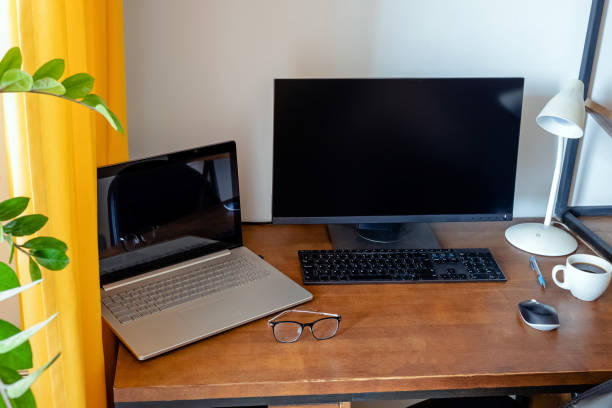

The Form Factor That Determines Everything Else
The desktop versus laptop decision seems like a simple one — do you need portability? — but the calculus involves more than just whether you move between locations. The decision affects performance ceiling, upgrade potential, display quality, keyboard and input experience, total cost for equivalent capability, and the concentration of computing capability into one portable device versus the deliberate multi-device approach that some workflows prefer.
The honest guide: both form factors are excellent in 2026. Laptops have closed the performance gap with desktops significantly (Apple Silicon in particular delivers desktop-class performance in thin laptop form factors). Desktops have maintained their advantages in upgrade potential, display flexibility, and performance ceiling for the same investment. The decision is genuinely use-case dependent rather than one-way obvious.
When Laptops Win Clearly
The laptop is the obvious choice when mobility is genuinely required: the person who works from home Monday through Thursday and from a client office on Friday needs a laptop. The student who moves between dormitory, library, classroom, and home needs a laptop. The professional who travels for work regularly needs a laptop. The laptop’s portability advantage is inseparable from its nature — no desktop produces comparable mobility regardless of how powerful it is.
Modern laptops have also closed the performance gap enough that the ‘I need a desktop for serious work’ argument applies to fewer workloads than it did five years ago. Apple’s M-series MacBooks deliver professional-grade performance for video editing, software development, design, and most demanding professional applications in a 2-3 pound package with 10-18 hours of battery life. The desktop’s raw performance advantage over a current MacBook Pro is real but narrower than it was before Apple Silicon.
When Desktops Win Clearly
A desktop is the clear choice when the primary use is at a fixed location and performance-per-dollar is the priority. The gaming desktop, the workstation for 3D rendering, the home server, and the power user who wants the maximum CPU and GPU performance for the budget all benefit from the desktop’s form factor. A $1,200 desktop gaming PC significantly outperforms a $1,200 gaming laptop in raw performance because the desktop’s larger chassis allows larger, faster components with adequate cooling at lower thermal constraints.
Upgrade path is the desktop’s most durable advantage: a desktop purchased today can receive a new GPU in two years, additional RAM, a faster storage drive, or a new CPU (on compatible platforms) as needs evolve or as component prices fall. The laptop that needs more performance in two years needs to be replaced; the desktop that needs more performance in two years often needs one upgraded component. Over a 5-7 year ownership period, this upgrade flexibility produces significantly lower total cost of ownership for equivalent performance levels.
The Home Office Hybrid Approach
The most common productive resolution in home office contexts: a laptop as the primary computing device for portability and daily use, connected to an external monitor, keyboard, and mouse when docked at the home desk. This approach provides the portability of a laptop for mobile work and the ergonomic advantages of a proper desk setup — full-size external keyboard, monitor at eye level, dedicated mouse — during fixed-location work sessions.
The investment that makes this approach work well: a quality external monitor (covered in the multi-monitor article in Vol. 2), a wireless keyboard and mouse that work at desk distance without cables, and a USB hub or laptop dock that provides single-cable connectivity to all desk peripherals. The dock or hub is the key component: it allows plugging a single cable into the laptop to connect monitor, keyboard, mouse, ethernet, and other desk peripherals simultaneously, making the transition between mobile and desk use fast and frictionless.
The Total Cost Comparison
The honest cost comparison for the home office buyer: an equivalent-performance desktop costs roughly 20-30% less than a laptop for the same computing capability, but the laptop doesn’t require an external monitor, keyboard, and mouse while the desktop does. Adding a quality external monitor ($200-400), keyboard ($50-120), and mouse ($30-80) to the desktop closes much of the cost gap for users who need these peripherals regardless.
The long-term cost comparison favours desktops through the upgrade path: the $1,000 desktop that has a GPU upgrade at year 3 ($200) and a RAM upgrade at year 4 ($60) may still be providing adequate performance at year 6, having cost $1,260 total. The equivalent laptop typically needs full replacement rather than component upgrade at the 3-4 year mark, costing $1,000 again. The total cost of computing over six years is meaningfully lower for the upgrade-path desktop buyer.